


Table of Contents
- Why Digitizing Essential Documents Matters for Emergency Preparedness
- Identification Documents and Vital Records to Digitize
- Financial Records and Estate Planning Documents
- Medical and Health Records for Digital Storage
- Property, Asset, and Insurance Documentation
- Secure Cloud Storage for Emergency Documents
- Best Practices for Digital Document Security
- Creating Your Emergency Document Checklist and Maintenance Schedule
- Frequently Asked Questions
Last Updated: September 27, 2026
Why Digitizing Essential Documents Matters for Emergency Preparedness
When a natural disaster strikes or an unexpected emergency forces you to evacuate, you won't have time to hunt through filing cabinets for the documents to digitize. Documents to digitize include your most critical records, the ones that prove who you are, what you own, and what medical care you need. Having digital copies stored securely means you can access vital information from anywhere, even if your physical home is damaged or inaccessible.
Digitizing essential documents protects you against identity theft, house fires, and data loss. A redundant backup system, copies stored both physically and digitally, ensures you have proof of identity, assets, and medical history when you need it most.
The process requires only a scanner or smartphone camera, secure cloud storage, and an organizational system. Organizing your vital records is one of the most practical emergency preparedness steps you can take.
Identification Documents and Vital Records to Digitize
Your identification documents prove who you are when everything else is gone. Start with your Social Security card, birth certificate, passport, and driver's license. Scan both sides in color at high resolution and store in an encrypted, password-protected location separate from physical originals.
Vital records also include marriage certificates, divorce decrees, adoption papers, and military discharge documents. A digital copy in secure cloud storage provides a backup if your physical safe is damaged or inaccessible during an emergency.
Keep immunization records organized by family member and vaccination type. Schools, employers, and healthcare providers often require proof of vaccinations, and having these records accessible prevents delays during emergencies.
Digitize travel documents, visas, and international identification separately from everyday identification for security.
Financial Records and Estate Planning Documents
Digitize bank statements, investment account information, and mortgage or loan documents. Store account numbers and contact information with login credentials in a secure password manager, never in the same file as the documents.
Digitize tax returns from the past seven years, organized by year. These support insurance claims, prove income for loans, and help resolve tax disputes.
Digitize your will, living will, power of attorney, and healthcare proxy. A digital copy in secure cloud storage ensures your family can access them if the bank is closed during a disaster.
Include beneficiary information for all accounts, insurance policies, retirement accounts, and bank accounts. Update digital copies whenever beneficiary designations change.
Medical and Health Records for Digital Storage
Digitize a summary of your medical history, current medications, allergies, and adverse reactions. Include names and contact information for your primary care physician and specialists.
Store prescription information separately from general medical history, including medication name, dosage, frequency, and prescribing physician. Update whenever medications change.
Digitize lab results, imaging reports, and specialist consultations organized by date so new healthcare providers can quickly understand your baseline health and pre-existing conditions.
For families with children, keep pediatric vaccination records, growth charts, and documented developmental concerns accessible for emergency medical care.
Property, Asset, and Insurance Documentation
Digitize homeowners, vehicle, and renters insurance policies with policy numbers, coverage limits, deductibles, and agent contact information for quick claim filing.
Create an asset inventory by photographing possessions room by room, including serial numbers for electronics and high-value items. Store with insurance documents and update annually.
Digitize property deeds, titles, mortgage documents, and home improvement receipts. These prove ownership and support insurance claims and refinancing.
Digitize vehicle title, registration, and maintenance records to support insurance claims and purchasing decisions.
Secure Cloud Storage for Emergency Documents
Choose a cloud provider offering end-to-end encryption (AES-256 standard) so only you and authorized people can view your documents, protecting data even if the service is compromised.
Enable two-factor authentication on cloud storage accounts. Even if your password is compromised, a second verification step (code sent to your phone or generated by an app) prevents unauthorized access.
Understanding Legal Validity of Digital Copies
Not all documents are treated equally when stored digitally. Some documents require original physical copies for legal purposes, while others are widely accepted in digital form by government agencies and financial institutions.
Documents generally accepted as digital copies include:
- Bank statements and financial records
- Tax returns (the IRS accepts digital copies for record-keeping)
- Medical records and prescription information
- Insurance policies and declarations pages
- Utility bills and proof of residence
- Vaccination records (most schools and employers accept digital proof)
- Property improvement receipts and home maintenance logs
Documents that typically require original physical copies or certified copies include:
Oxford First Aid Storage Bag Portable →
- Birth certificates (vital records; many government agencies require a certified copy for official purposes like passport applications)
- Marriage certificates and divorce decrees (required in original or certified form for legal name changes, remarriage, or inheritance claims)
- Wills and powers of attorney (courts and institutions may require the original; ask an attorney what your state accepts for probate and healthcare decisions)
- Deeds and property titles (original or certified copy required for real estate transactions)
- Adoption papers and court orders (originals or certified copies needed for legal proceedings)
Keep digital copies of everything for your own records and emergency access, but maintain original or certified copies of vital records and legal documents in a secure physical location, a safe deposit box, fireproof safe, or with your attorney.
Organizing Your Cloud Storage System
Organize cloud storage by category: identification, financial, medical, property, and insurance. Create a master document listing accounts and access instructions, stored with your attorney or in a safe deposit box. Update whenever information changes.
Use multiple cloud providers for redundancy. Store critical documents (identification, medical records, insurance) in at least two different services to protect against data breach or service disruption.
Offline Access and Mobile Readiness
Download copies of essential files to your smartphone or tablet in an encrypted folder or password-protected app for offline access during evacuations or internet outages.
Create a "Go-Bag Digital Folder" on your mobile device with emergency contacts, identification scans, medication list, insurance information, and passwords in a password manager app. Test quarterly without internet access.
Best Practices for Digital Document Security
Protect digitized documents through layered security: strong encryption, careful access controls, and secure backup storage. Most breaches result from poor access management, not weak encryption.
Encryption and Local Backups
For local backups, use an encrypted USB drive or external hard drive requiring a password. Store encrypted backups in a secure location separate from your home, at a trusted family member's house, safe deposit box, or with your attorney.
Use full-disk encryption (BitLocker on Windows or FileVault on Mac) rather than folder-level encryption to prevent unauthorized access to physical drives.
Password Management Workflow
Use a password manager to store encrypted passwords and generate strong passwords, avoiding the security risk of password reuse.
Password managers create one master password, store all other passwords in an encrypted vault, auto-fill credentials, and generate strong passwords. Choose one with end-to-end encryption and offline access. Store your master password in a safe deposit box or memorize it, never store it digitally or share it.
Store login credentials in your password manager, not alongside digitized files.
Backup Testing and Redundancy
Access Control and Threat Awareness
Be aware of common threats to digitized PII:
- Phishing emails: Attackers may send fake emails impersonating your cloud provider or bank, asking you to "verify" your password. Never click links in unsolicited emails; instead, go directly to the official website by typing the URL yourself.
- Weak account recovery: If your email account is compromised, attackers can reset passwords for all your other accounts. Protect your primary email account with a strong password and 2FA.
- Shared devices: If you access your documents on a shared computer (at a library, internet café, or family member's house), log out completely when finished and clear the browser cache. Do not save passwords on shared devices.
- Lost or stolen devices: If a phone or laptop containing your documents is lost, use your cloud provider's remote access tools to change your password and revoke access from that device immediately.
Updating and Maintenance
Set a quarterly reminder to review your security practices:
- Confirm that 2FA is enabled on all accounts containing sensitive documents
- Review who has access to your shared folders and revoke access if no longer needed
- Check that automatic backups are running and test one backup manually
- Update passwords for critical accounts (email, cloud storage, password manager) every 6-12 months
- Install any available security updates for your operating system, browser, and password manager
Creating Your Emergency Document Checklist and Maintenance Schedule
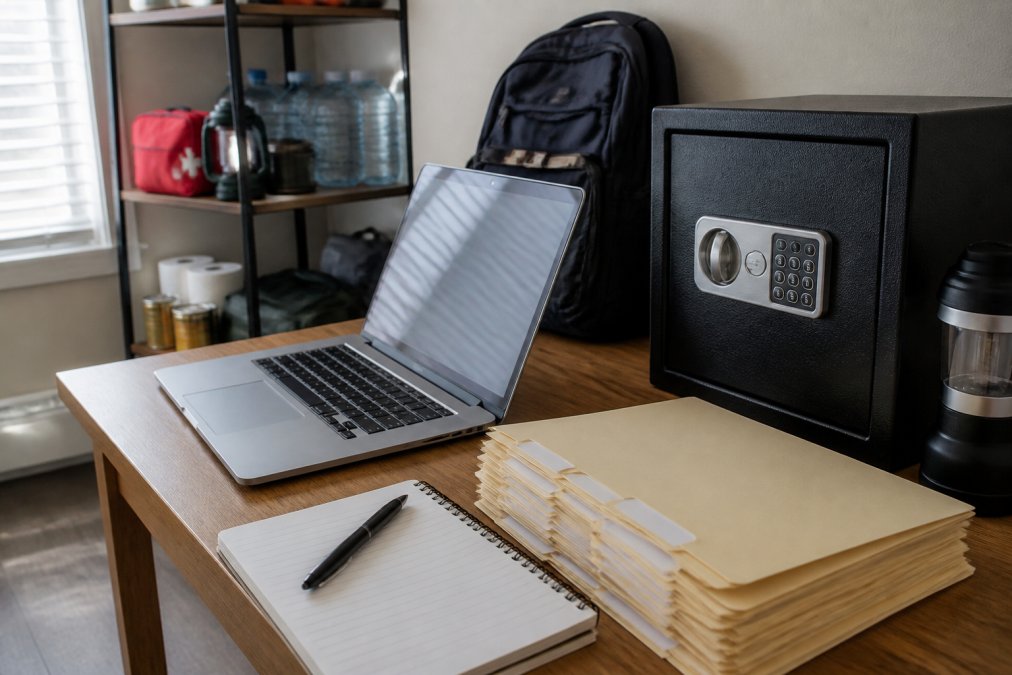
A comprehensive emergency document checklist ensures you don't overlook critical records. Start with identification documents, then move through financial records, medical information, property documentation, and insurance policies. As you digitize each category, check it off your list. This prevents the frustration of realizing months later that you missed something important.
Frequently Asked Questions
What are the most important documents to digitize for emergency preparedness?
Vital records including birth certificates, passports, social security cards, and marriage certificates form the foundation. Add financial documents (bank statements, tax returns, insurance policies), medical records (immunization records, prescriptions, medical history), property deeds, and power of attorney documents. The specific mix depends on your household situation, but these categories cover identity, assets, health, and legal authority—the four pillars of disaster recovery.
How should I securely store digital copies of my personal identification?
Use encrypted cloud storage with strong passwords and two-factor authentication. Store sensitive documents like social security cards and passports in password-protected encrypted folders separate from other files. Consider keeping one offline backup on an encrypted USB drive stored in a fireproof safe. Never store PII in unencrypted email or standard cloud folders. Encryption transforms your documents into unreadable data if accessed without authorization, providing essential protection against identity theft.
Should I keep physical copies of documents if I have digital backups?
Yes. Digital backups alone create risk if you lose internet access or face power outages during a disaster. Maintain originals of critical documents in a fireproof, waterproof safe at home, and keep copies in a safe deposit box at a bank or with a trusted family member outside your area. This redundancy approach ensures you have access to proof of identity, ownership, and legal authority regardless of what infrastructure fails. Many institutions still require original documents or certified copies.
What is the best way to organize digital files for quick access during a disaster?
Create a clear folder structure by document type: Identification, Financial, Medical, Property, Insurance, and Legal. Use consistent naming conventions with dates. Keep a master index listing all documents and their locations (cloud service, USB drive, safe deposit box). Store this index in multiple places. During an emergency, you may have limited time and connectivity—clear organization means you can find proof of identity or insurance details within minutes, not hours.


